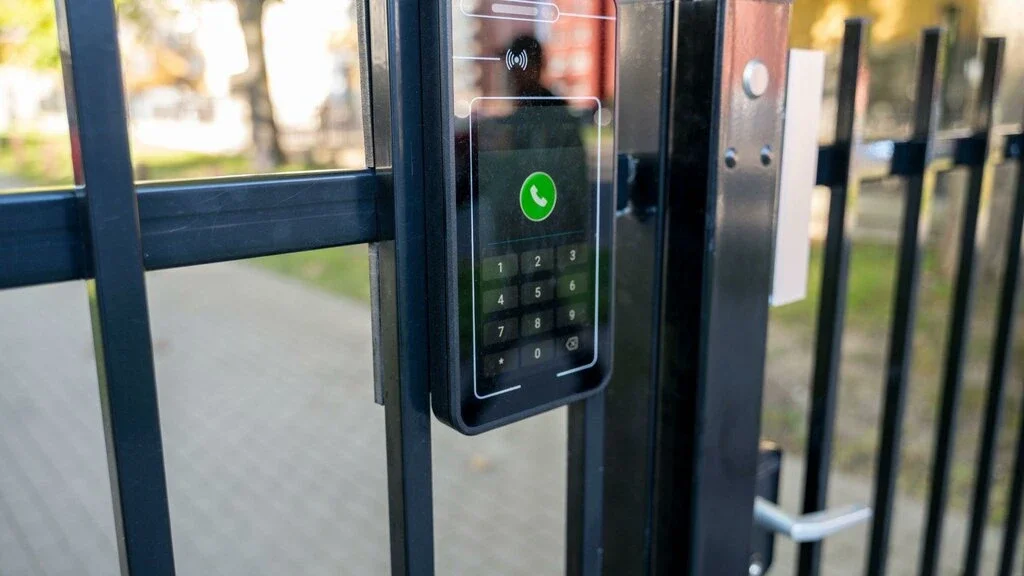
How Door Access Control Works: A Beginner's Guide
Learn how door access control works with this beginner's guide covering key components, common systems, and the benefits of secure access management.
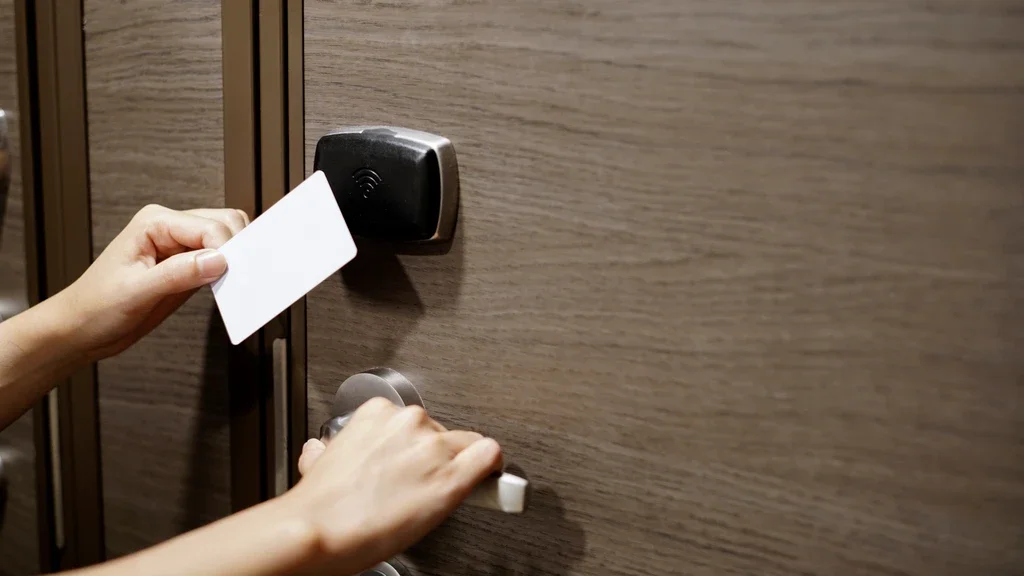
Keeping your building secure starts with controlling who can enter. Traditional keys may seem simple, but they can be lost, copied, or shared without permission, creating unnecessary security risks. A modern door access control solution gives you a safer and more reliable way to manage entry without making it difficult for authorized people.
Whether you are protecting a home, office, school, or healthcare facility, the right access control system can improve building security while making daily access quick and convenient. This beginner's guide explains the basics, key features, and benefits to help you choose the right solution with confidence.
Introduction to Door Access Control: Securing Spaces in a Modern World
Before you compare devices or software, it helps to know what you’re really solving. Better entry control gives you fewer surprises and more confidence.
Why Better Entry Control Matters
Most people begin looking at door access control after something goes wrong: a break-in, a lost key, staff turnover, or a compliance headache. And the concern is not imaginary: “63% of organizations reported a successful access control breach in 2023, up from 48% in 2021, due to sophisticated cyberattacks.”
Security, Convenience, and Tracking
With keys, you often don’t know who still has access. With software, you can remove a user in seconds. That is why many businesses consider door access control systems when they need stronger oversight, useful activity records, and less drama around missing keys.
What This Guide Covers
If you’re wondering how door access control works, here’s the short version: someone presents a credential, the system checks the rules, and the door unlocks only if access is approved. Simple on the surface. Very useful behind the scenes.
The Evolution of Access Control Systems: From Keys to Smart Security
Access control has come a long way from the humble metal key. Today, entry can involve cards, phones, fingerprints, cloud dashboards, and real-time alerts.
From Mechanical Keys to Digital Access
Traditional keys are easy to understand, but hard to manage. Once a key is copied, you may never know where it goes. That is one big reason access control systems became common in offices, apartments, campuses, and healthcare environments.
RFID, Biometrics, and Cloud Tools
Cards and fobs made issuing access easier. Then mobile credentials, fingerprint readers, facial recognition, and cloud platforms gave administrators more flexibility, especially when managing users across multiple sites.
Physical and Cyber Security Now Overlap
Modern electronic door security often connects with apps, cameras, alarms, and networks. Nice, right? But it also means passwords, updates, permissions, and admin settings deserve real attention.
Modern electronic door security didn’t appear overnight; it grew through breakthroughs like RFID, biometrics, and cloud management that reshaped how spaces are protected.
Types of Door Access Control Systems for Beginners
Once you understand the basics, the next question is which type fits your building. The answer depends on your doors, users, budget, and security expectations.
Standalone Versus Networked Systems
A standalone reader usually protects one door. It is straightforward and often affordable. A networked system connects multiple doors, so admins can manage users, schedules, reports, and alerts from one central place.
Wired, Wireless, and Cloud-Based Access Control
Wired systems are dependable and often ideal for new builds. Wireless systems can make installation easier in existing spaces. Cloud-based access control lets you manage locations through a browser or phone, which is a lifesaver if you’re not always on-site.
Mobile Access and Biometrics
Phones are becoming popular credentials because, let’s be honest, people rarely forget them. In fact, “Mobile access credentials are used by 75% of organizations, with 60% reporting increased operational efficiency and reduced card issuance costs.”
Once you compare standalone, networked, wired, wireless, and cloud options, you can quickly see why some setups grow gracefully while others run out of room.
Core Components of Electronic Door Security Systems
Every access setup is a small team of parts doing one job together. If one part fails, the whole experience can become clunky or less secure.
Credentials and Readers
A credential proves that someone is allowed to enter. It might be a card, fob, PIN, fingerprint, face scan, or mobile pass. The reader sits at the door and checks that credential.
Control Panels, Software, and Locks
The controller or software makes the decision. It reviews the person’s permissions, the time of day, the door being used, and any special rules. If everything checks out, it tells the electric strike, maglock, or smart lock to release.
Integration With Other Building Systems
Many teams connect door access control systems with cameras, intrusion alarms, visitor management tools, and intercoms. That way, a forced-door event can be tied to video footage, creating a clearer audit trail.
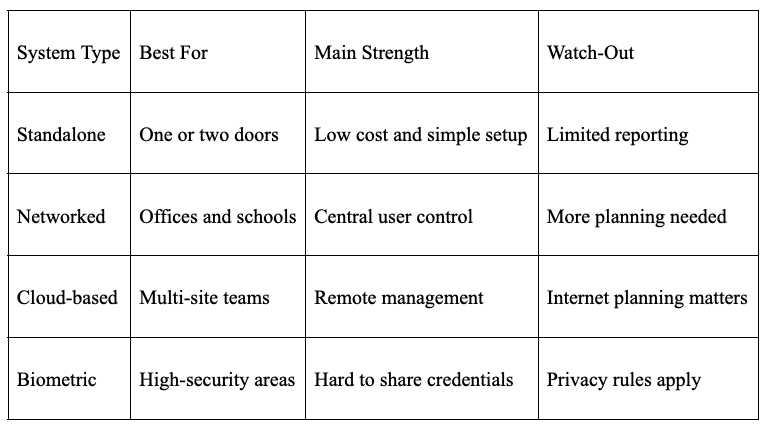
At its core, door access control is a chain of parts working together, from credentials and readers to software and locks, to decide who gets in and when.
Step-by-Step: How Door Access Control Works in Real Life
Let’s take this out of theory mode. The process feels instant to the person at the door, but several checks happen in the background.
The Access Request Flow
A person presents a card, phone, PIN, or biometric credential. The reader sends that information to the controller or cloud platform. The system then checks the user’s role, access status, schedule, and door permissions.
Unlocking, Logging, and Alerts
If access is approved, the lock opens for a short, preset time. If access is denied, the door stays locked and the event is recorded. Repeated failed attempts, forced openings, or doors held open too long can trigger alerts.
Real-World Examples
In an office, employees may enter during business hours, while cleaning crews only get evening access. In an apartment building, residents may use phones or fobs, while delivery access is limited to certain doors and times.
Now that you’ve seen the access request flow, from presenting a credential to unlocking, logging, and alerts, the big question becomes what “right” looks like for your space.
Choosing the Right Door Access Control System
The best system is not always the fanciest one. It is the one that fits your risks, your users, and the way your space actually works.
Security and Compliance Needs
Medical offices, schools, and companies handling sensitive data may need detailed audit trails and stricter access rules. A small office may simply need something better than a ring of mystery keys.
Growth and User Experience
If you expect to add people, doors, or locations, flexible door access control systems can save you from starting over later. Future-you will appreciate that.
Cost and Return
Cost includes hardware, wiring, software, credentials, support, and maintenance. The return comes through fewer lock changes, faster updates, better records, and lower risk. Not flashy, but very practical.
Choosing access control systems comes down to aligning risk, growth plans, user experience, and ROI, because the strongest setup is the one you can manage consistently.
Setting Up Door Access Control: Beginner-Friendly Guide
A smooth installation starts before anyone drills into a wall. Good planning prevents annoying surprises later.
Planning and Site Review
Walk the property and list every door that needs control. Check the door type, frame condition, power, network access, ADA needs, and emergency exit rules before buying equipment.
Installation and Configuration
Professional installation is usually best for electric locks and fire-code-related doors. Once readers and locks are installed, administrators can add users, schedules, alerts, door groups, and backup rules.
Testing and Training
Test approved access, denied access, power failure behavior, and emergency release. Then train users on cards, mobile passes, visitor procedures, and who to contact when something goes sideways.
A solid setup starts with planning, correct hardware placement, and careful configuration, because small installation choices can make or break reliability.
Best Practices and Future Trends
Even a strong system needs attention after launch. Security is not a “set it and forget it” project.
Updates, Audits, and Alerts
Keep firmware and software current. Remove former employees immediately, review logs, and investigate odd patterns, especially repeated denials or doors held open too long.
Multi-Factor and AI Tools
Some areas may need two checks, such as a phone plus PIN or a card plus fingerprint. AI-based tools are also beginning to flag unusual access behavior faster than manual review.
Remote and Touchless Management
If you’re comparing door access control systems today, look beyond the hardware. Remote tools, integrations, security certifications, and upgrade paths matter just as much as the reader on the wall.
Even the best electronic door security can weaken without updates, monitoring, and routine auditing to catch issues early.
Common Questions About Door Access Control
1. How can I upgrade from traditional keys affordably?
Start with the highest-risk door, such as the main entrance, server room, or storage area. A single-door system can solve key problems quickly, and then you can expand later if the platform supports growth.
2. What happens during a power outage?
It depends on the lock type and backup power design. Many systems use battery backup or fire-safe release settings. Always confirm outage behavior before installation, especially for emergency exits.
3. Can I manage access from a smartphone?
Yes. Many cloud-based systems let you add users, remove access, review logs, and receive alerts from a phone or browser. That flexibility is especially helpful when you are away from the building.
Stay up to date with our latest ideas!